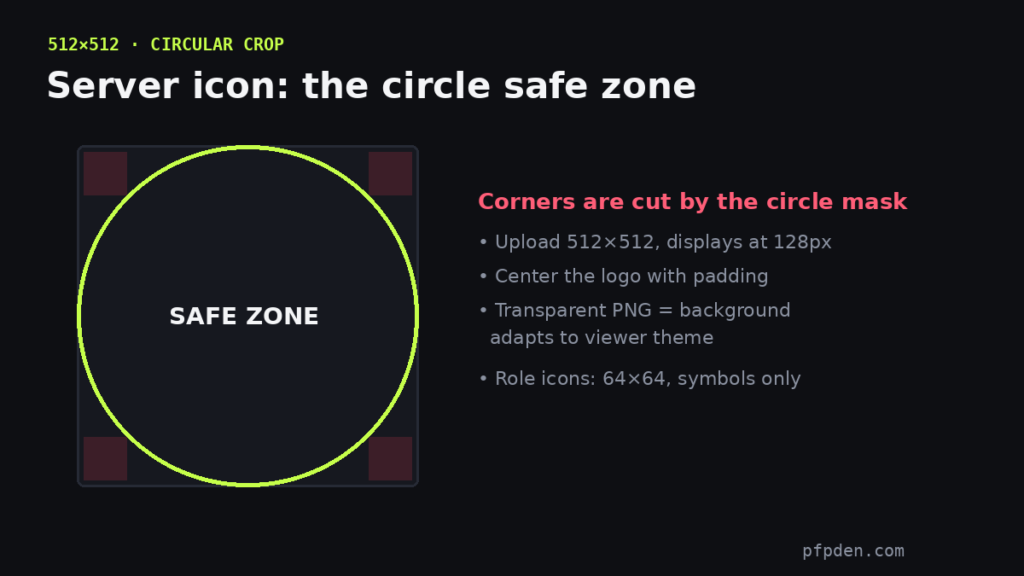
Quick answer: upload your Discord server icon at 512×512 pixels. It displays at 128px and smaller, always masked into a circle — identical rules to a profile picture, but with one extra trap: logos with corner elements lose them to the crop.
The circle safe zone
Roughly the outer 15% of your square disappears into the mask. Center the logo, give it breathing room, and preview the result in the PFP Maker circle view before uploading — a server icon is just a pfp for your server, and the same tool handles both.
The background color trick
Upload a transparent PNG and the “background” of your icon becomes whatever theme the viewer uses — dark grey in dark mode, white in light mode. If your logo depends on contrast, bake in a solid background color instead; if you want the adaptive look, transparency is the move. This one detail is why identical logos look great in one server and washed out in another.
Role icons
Role icons render tiny at 64×64 next to usernames — symbol-simple shapes only; any detail vanishes. (Role icons require Boost Level 2.)
The rest of the server’s visual kit — banner, invite splash, emoji slots — is in the complete size guide, and banner crops specifically are covered in the banner size guide.
FAQ
What size is a Discord server icon?
Upload 512×512 — it displays at 128px and below, cropped to a circle.
Why does my server icon background change color?
Transparent PNGs adopt the viewer’s theme background. Bake in a solid color if your logo needs fixed contrast.
What size are Discord role icons?
64×64 pixels, shown tiny next to usernames — use simple symbols, not logos.